
Placed geometry and derivative review
Extract One Placed Part from a 3MF
To extract one placed part, open the 3MF in 3MF to STL Converter, choose its top-level placed item and generate a geometry-only STL. Preserve placement unless you deliberately choose translation. Inspect the reopened derivative before downloading, and retain the original project.
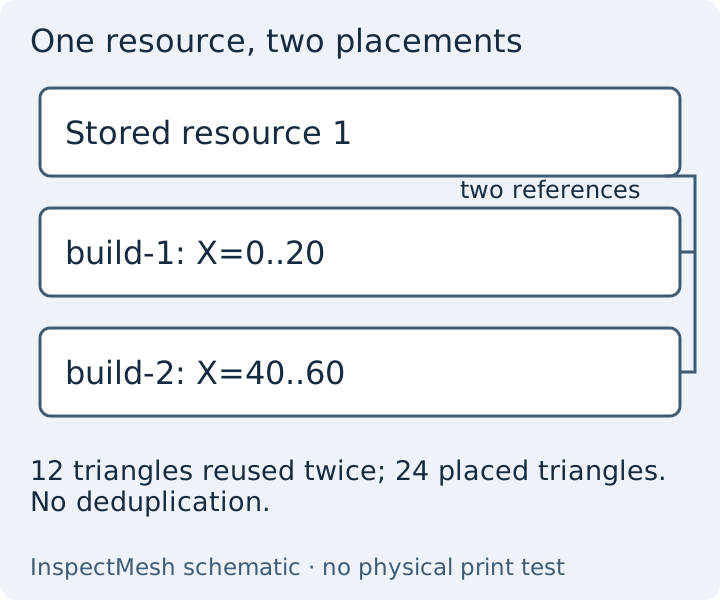
Which kind of object are you choosing?
| Concept | Meaning | Selection boundary |
|---|---|---|
| Stored resource | A reusable definition in the package | May be used twice or never placed; resource count is not export count |
| Placed build item | A top-level reference plus placement | One selectable item, even when the same resource is referenced again |
| Nested component | A child resource composed into a placed item | Supported descendants export together with their top-level parent |
| Disconnected shell | A connected triangle surface | Connectivity does not recover original project identity |
Worked example: select the second cube
- Download the two-placed-cubes control from the example collection. Its one resource has 12 triangles; two placements resolve 24.
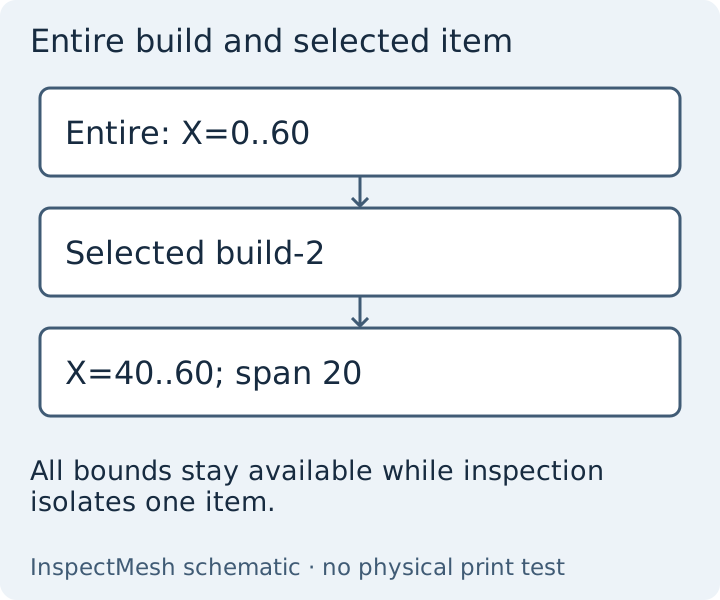
- Load it in 3MF Viewer. Select build-2 using the row or the geometry. The selected spans are 20 × 20 × 20 mm; X runs from 40 to 60 mm.
- Use Isolate selected to inspect it and Show all to restore the other cube. Isolation affects viewing only.
- Open the same source in the converter and explicitly select build-2. Review the scope before generation.
- Leave Preserve resolved placement selected. Generate and verify: the reopened derivative must have 12 triangles and X=40..60 mm.
- Download the STL and report. Open it in the receiving application using millimetres and check a 20 mm edge and the retained location.
Nested composites and unplaced resources
A nested composite remains one selectable top-level item. Its technical details show component paths; selecting it includes every supported descendant. This first version does not offer individual nested-child or multiple-file selection. The unplaced-resource control stores an additional 100 mm cube without a build reference. It must not become an exported part merely because its definition exists.
Keep design intent with its source
Labels come from the uploaded file or neutral generated names. They do not authenticate the designer or intended machine. Extracting triangles cannot reconstruct editable CAD, material assignments or project settings. See the general conversion guide for format losses. If a required extension or invalid reference prevents resolution, use the original authoring application and request a supported geometry export rather than stripping package declarations.
Next step: reproduce the second placement, then choose the required scope in your own file. Store the original project alongside the derivative and its report.
Technical basis: 3MF Core specification 1.4.0, sections 3.3, 3.4 and 4.2; reviewed 11 October 2026. Examples are original mathematical controls, not physical print measurements or tests of every slicer.
FAQ
Does one selected placement include its nested components?
Yes. All supported descendants belong to the selected top-level placed item; this workflow does not separately select nested children.
Does isolation change export scope?
No. Isolation changes the preview. Choose export scope explicitly in the converter.