
Sliced-file review
Can You Use G-code From Another Printer?
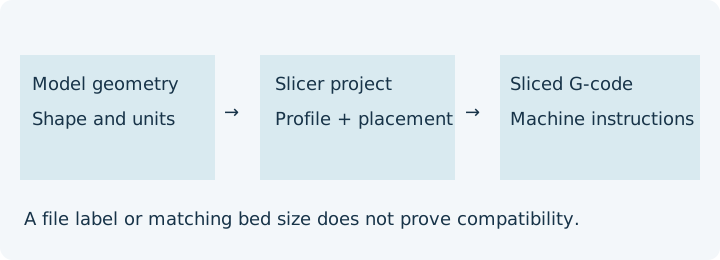
Do not treat G-code from another printer as compatible merely because the bed dimensions or a comment label match. A sliced file contains machine instructions chosen for a profile, firmware and material workflow. When that provenance is unknown, obtain the source model or slicer project and re-slice with your known exact profile.
What each file lets you review
| Received item | Useful evidence | What remains missing |
|---|---|---|
| STL or geometry 3MF | Shape, scale and resolved placement where supported | Chosen machine profile, material and start/end instructions |
| Slicer project | Retained settings and placement if that application's project format supports them | Whether the settings match the recipient's actual hardware and firmware |
| Only G-code | Declared comments, recognised paths and command lines | Editable source geometry, complete profile provenance and actual machine configuration |
A received-file worksheet
Record the revision before reviewing instructions. An unchanged filename is insufficient: a local SHA-256 can match exact bytes but cannot authenticate the author. Keep private filenames and notes in your own record, never public URLs.
| Field to record | Evidence to request |
|---|---|
| Revision and intended output | Supplier revision, received date, file byte identity, part quantity and selected run |
| Source availability | Model, original project, generating application/version and retained configuration |
| Intended printer and firmware | Exact model/revision, hardware modifications, firmware/configuration version |
| Profile and material scope | Nozzle, filament/tool mapping, extrusion units, usable area and origin |
| Machine routines | Homing, offsets, macros, start/end code and tool changes |
| Only sliced instructions supplied? | Explicit yes/no plus the unresolved source/project request |
Hypothetical exact-profile comparison
Printer A and printer B both have nominal 220 × 220 mm beds. A's project assumes X/Y start at zero, a single tool and a particular homing macro. B's configured frame, tool offsets or macro implementation differ. Equal dimensions answer none of those differences. A comment naming A is only a declaration. Request the project, check the intended revision and select B's verified profile in the native slicer; do not guess edits to individual commands.
A profile comparison should identify concrete differences and unknowns, not produce a universal translation. A browser linear preview does not execute macros, authenticate profiles or certify temperatures. Klipper documents configurable macro commands and firmware-specific extrusion behaviour; Marlin documents its own mode behaviour. Neither document proves the other's semantics.
Choose the next action
- Inventory the received files and intended machine.
- Use source evidence to identify unsupported effects, without executing the file.
- Request missing project/profile details. Prefer re-slicing source geometry when compatibility is uncertain.
- Retain one-run estimates only after reviewing their declared units and scope.
Use the existing review tools
Open the read-only G-code viewer, follow the general G-code review procedure, and download the owned analytical controls. Source geometry fit remains in the model-fit guide; arrangement remains in the existing layout guide.
Sources and evidence boundary
Official sources reviewed 10 October 2026: PrusaSlicer G-code viewer, Prusa binary G-code, Marlin G92, Marlin M82, Klipper commands, and Prusa sequential printing. InspectMesh's declarations are bounded file observations; diagrams and snippets are original analytical examples, not machine approval.
FAQ
Do equal bed dimensions prove compatibility?
No. Source project, exact machine profile, firmware, tools and routines need review; obtain source geometry and re-slice when provenance is unknown.
Can the local file hash authenticate a supplier?
No. SHA-256 matches exact bytes. It does not authenticate the author, intended printer or generating profile.