
3D printing size guide
How to Check if a 3D Model Fits Your Printer
Substantially updated 2026-10-29. First published 2026-09-05.
Compare the model's X, Y and Z spans with the printer's usable envelope in the intended orientation. If one axis fails, test a right-angle rotation and explicit allowances before scaling. A numerical fit is only an early screen: the final placed job must still be checked in the slicer.
Run a measured fit control
Download the original 250 × 210 × 180 mm rectangular STL. Its coordinate spans are the box dimensions under an explicit millimetre assumption; STL does not store that unit. Enter a hypothetical usable X/Y/Z box of 220 × 260 × 200 mm in the printer fit checker.
| Arrangement | X/Y/Z envelope | Result against 220 × 260 × 200 mm |
|---|---|---|
| Source orientation | 250 × 210 × 180 mm | X exceeds the entered limit by 30 mm. |
| Right-angle rotation | 210 × 250 × 180 mm | Fits nominally, with 10 mm left on X and Y. |
| Rotated plus a hypothetical 5 mm allowance on each X/Y side | 220 × 260 × 180 mm | Exactly at both X/Y limits, with no residual margin. |
| Rotated plus a hypothetical 6 mm allowance on each X/Y side | 222 × 262 × 180 mm | Fails X and Y. |
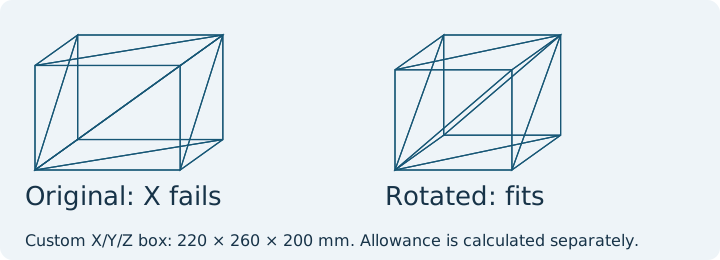
The allowance numbers are deliberately hypothetical. Use the actual brim, support, purge and excluded-area rules of the target printer and profile. A circular bed also needs a footprint check; fitting its rectangular X/Y spans does not prove that every corner lies within the printable circle.
Keep size and source position separate
The shifted-cube control has 20 mm spans, yet its source X bounds are 230..250 mm and Z bounds are -5..15 mm under the same unit assumption. It is small enough by dimension for many beds but lies outside a hypothetical X=0..200 mm coordinate frame until a placement operation moves it. The off-bed diagnosis compares those source bounds with an actual PrusaSlicer centering run. Do not shrink a part to solve an origin problem.
Apply the result to your file
- Confirm STL units from a known design dimension, or read the declared 3MF unit and resolved build placements. Measure X/Y/Z using the STL dimensions checker or 3MF dimensions checker.
- Record the exact printer's usable X/Y/Z limits and bed shape. Check each span in the planned orientation; test a right-angle rotation if needed. The orientation planner compares all six source-axis directions. A model that fits after rotation still needs bed contact, support access and critical-face review.
- Add actual process allowances. Rotation can change supports, layer direction, appearance and contact area, so judge it as a candidate rather than an automatic improvement.
- If no practical orientation fits, consider an intentional split or revise the design. Follow the split planning workflow, then run a new fit check on every output in its intended orientation, including the actual brim, support and handling allowance. Scaling also changes holes, walls and mating clearances.
- Use the fit checker for the candidate envelope, then inspect final placement and the complete sliced footprint in the target slicer. For already generated extrusion and travel coordinates, use the separate G-code outside-bed guide.
This workflow tests geometric fit under stated inputs. It does not establish collision clearance, support adequacy, strength or success on a physical printer. Keep the selected printer and profile with the review record.
FAQ
Does a mathematical bounding-box fit guarantee a printable job?
No. Brims, supports, purge structures, bed shape, excluded areas and machine clearance still need review in the slicer.
Is a model off the bed necessarily too large?
No. Size is a span; source coordinates and slicer placement are separate. Check minima and maxima before changing scale.