
3D print preparation guide
3D Print Wall Thickness: What a Thin Area Means
Substantially updated 2026-10-16. First published 2026-09-08.
Wall thickness describes material between surfaces. Whether a feature can be represented by a slicer, survive printing or carry its intended load are separate questions. Start with the feature's purpose, then compare geometry, generated paths and representative tests.
1. Separate material walls, thin features and empty gaps
| Geometry | What a dimension describes | Next check |
|---|---|---|
| Enclosure wall or solid web | Material between its opposing boundaries | Measure the intended solid in CAD, then check sampled locations. |
| Raised rib or tab | Material width of a narrow feature | Inspect its connection and generated paths, including orientation. |
| Clearance slot or gap between parts | Empty space, not a material wall | Check fit and open passage separately. A cross-body ray may hit across it. |
| Zero-thickness sheet | A surface with no enclosed solid wall | Review the zero-thickness surface guide and source topology. |
Use a visual cross-section to understand where material ends and clearance begins. The viewer clips the mesh; it does not measure a closed section.
2. Choose what the feature must do
| Feature | Design question | Verification |
|---|---|---|
| Decorative rib | Is small loss of detail acceptable? | Check whether native sliced layers retain the visible shape. |
| Enclosure wall | Must it retain shape, close a cavity or tolerate handling? | Inspect material boundaries, generated paths and a representative enclosure. |
| Flexible clip | Where does it bend, and how often? | Inspect root geometry and orientation; test the actual material and cycles. |
| Loaded bracket | Where does load enter and where is a narrow transition? | Review the source design and representative load case, not only the wall sample. |
A hole edit can consume a surrounding wall: for an ideal concentric 16 mm boss with a 10 mm hole, radial material is (16 − 10)/2 = 3 mm. Widening the hole to 10.5 mm leaves 2.75 mm if the outside diameter stays fixed. This is geometry arithmetic, not a strength recommendation; eccentricity, roots and edge distance still matter.
3. Known geometry versus generated paths
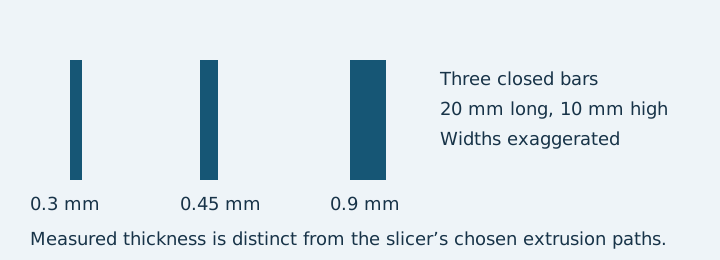
The owned thin-bar STL contains separate closed bars 20 mm long and 10 mm high, with designed widths 0.3, 0.45 and 0.9 mm. In the current local sampled checker, mm assumption and 1.2 mm review threshold returned 36 attempted, 36 measured, 12 below threshold, zero unmeasured and a smallest measured sample of about 0.29999 mm. This ray observation is not the source's exact wall dimension or an exhaustive map. The STL workflow explains the result.
The retained PrusaSlicer 2.9.6 runs used a 0.4 mm nozzle, 0.2 mm layers, explicit 0.45 mm extrusion width, two perimeters, zero infill and thin-wall detection off. The recorded commands changed the perimeter generator between Classic and Arachne; other CLI defaults remain in the G-code footers. On the recorded second-layer preview at Z = 0.55 mm, Classic showed four extrusion moves and one narrow closed outline; Arachne showed six moves at three bar positions. Both runs warned about low bed adhesion and Classic also warned about loose extrusions. This is software evidence, with no physical print or strength test.
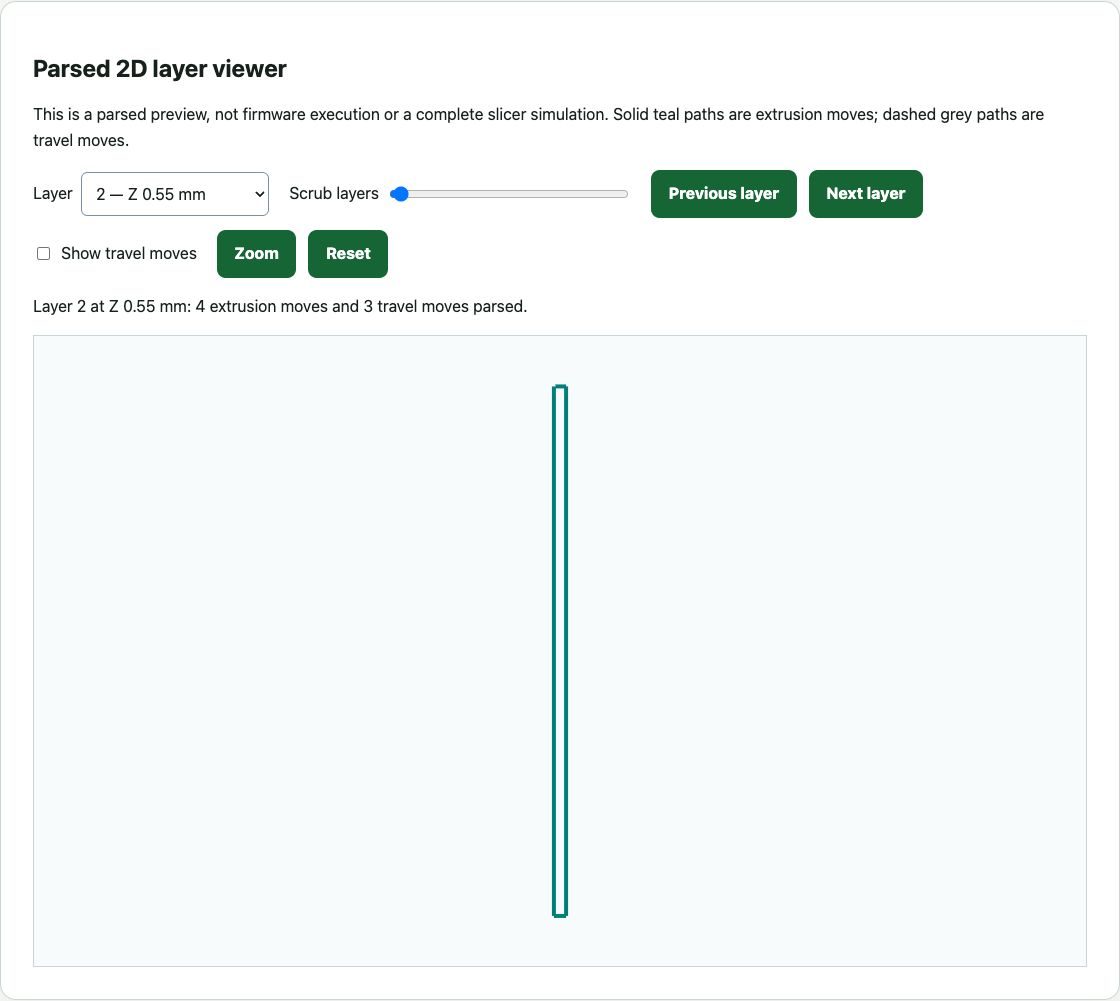
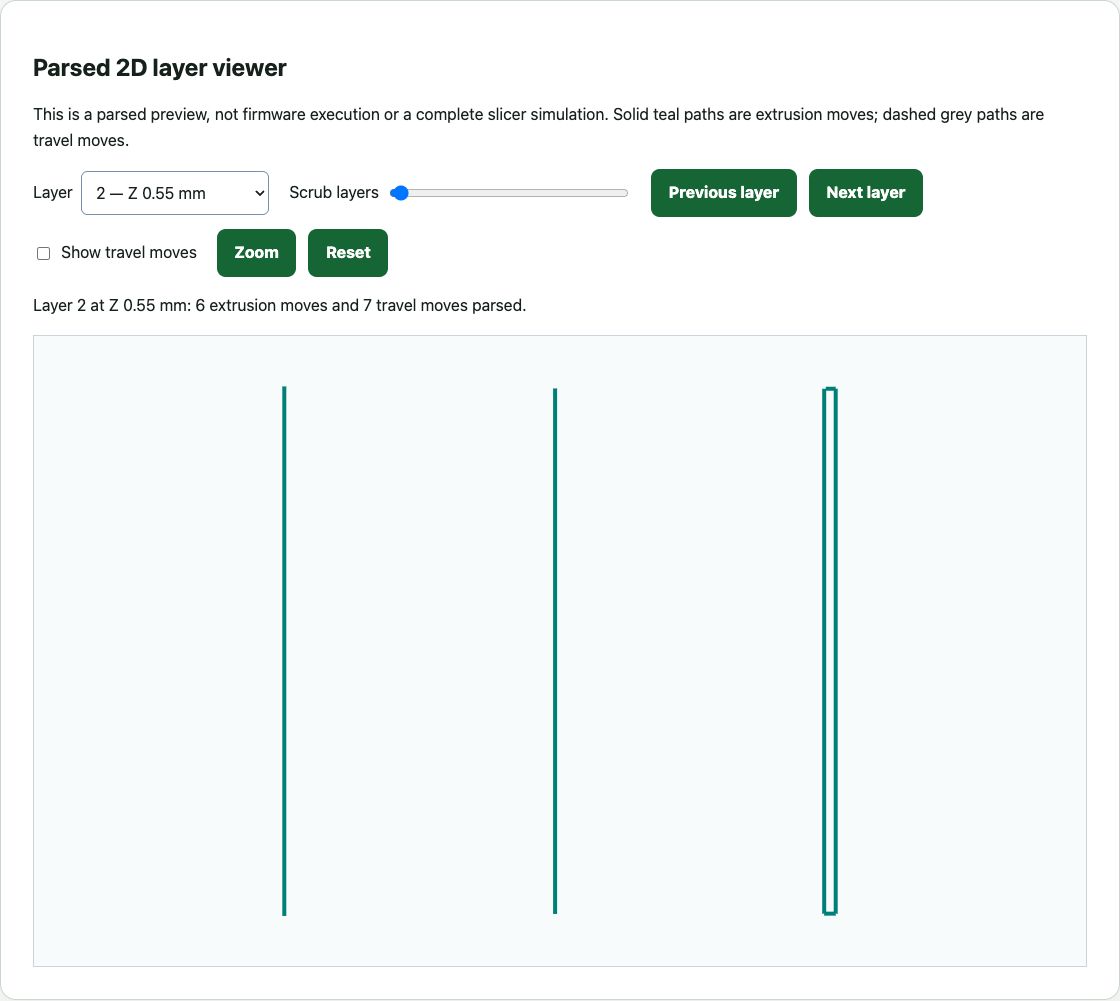
Download the Classic preview-only G-code and Arachne preview-only G-code to inspect paths. Do not send these demonstration exports to a printer. The example record and retained evidence document the inputs, software version and limitations.
4. Use nozzle and line width correctly
Three equal 0.45 mm lines total 3 × 0.45 = 1.35 mm nominal width. This is equal-width arithmetic, not a prediction that a 1.3 mm CAD wall produces exactly three paths. The nozzle and wall planner rounds the requested wall/line-width ratio to the nearest positive whole line count; its layer height and nozzle diameter are separate inputs. Inspect the generated paths before choosing a wall dimension. Prusa's Arachne guidance discusses variable-width generation and feature-size controls; layers and perimeters guidance describes profile choices. Sources reviewed 16 October 2026; match controls to your installed slicer version.
5. Choose the next action
| Observation | Next action |
|---|---|
| Uncertain STL scale | Confirm known dimensions before setting a threshold. |
| Suspected mesh issue | Review the STL quality or 3MF quality report. |
| Measured thin area | Inspect and revise the target feature in CAD; use the STL or 3MF checker on the saved copy. |
| Unmeasured location | Review the source geometry and nearby boundaries. No hit is not a safe wall. |
| Missing sliced feature | Review generator, line-width and thin-feature profile controls in the native slicer. |
| Functional reliability matters | Use representative application-specific testing with the intended material, orientation and load. |